Asset overview
Understand the setup.
Then make it your own.
Erode Terrain is a Blender Geometry Nodes asset in OmniKit’s nature collection.
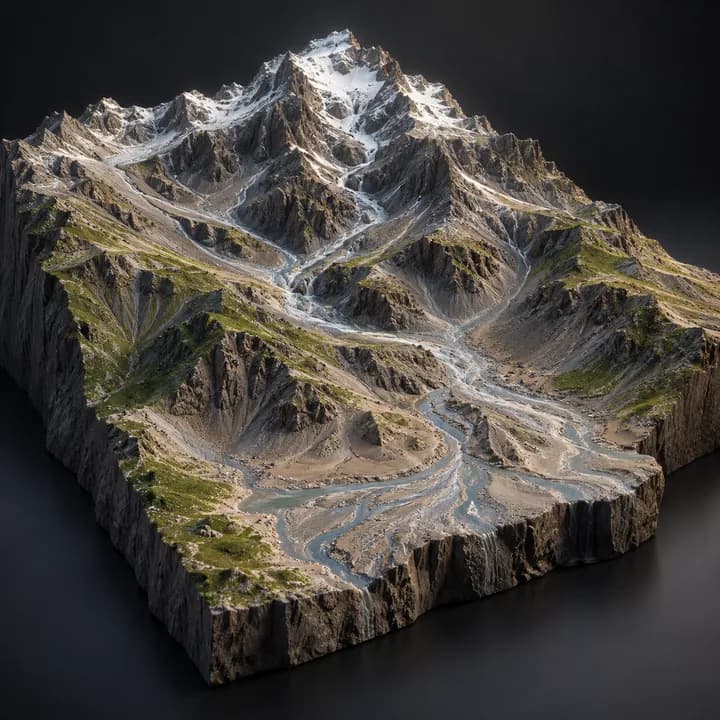
MESH INPUT: drop on a mesh, or feed mesh geometry to Geometry. Apply object scale for predictable distances. | Terrain erosion - makes noise terrain geological: thermal erosion slides material off slopes steeper than the talus angle, valleys are carved where drainage concentrates, sediment settles on the flats, and fine downhill streaks are added. Outputs flow, sediment and slope masks for shading.
Its exposed inputs include Iterations, Talus Angle, Slide Rate, Carve, Drainage Reach, Channel Sharpness, Deposit. Review the control reference below to plan a suitable setup.
Source and setup notes
Source node name: OMNI - Erode Terrain
Collection: 22 Geometry Nodes/Environment/Terrain & Landscape
Structural inspection used Blender 5.2.0 LTS. Other releases and render engines require separate checks.
How to approach this asset
- Check the source notes for the expected mesh, curve, field, shader or World context.
- Start with a disposable scene and a suitable input. Inspect required object, material or collection inputs.
- Adjust one documented control at a time. Evaluate the result before using it in a production project.