Asset overview
Understand the setup.
Then make it your own.
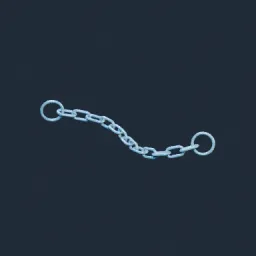
Chain Pro is a Blender Geometry Nodes asset in OmniKit’s modeling collection.
CURVE INPUT: drop on an open curve, or connect curve geometry to Geometry. Adjust Link Length, Spacing, Sag and trim Start/End. Apply scale for consistent link sizes. | Curve-driven procedural chain: rounded oblong links, alternating tangent-frame orientation, end rings, adjustable pitch, pinned sag, trim, roll and twist. Optional lightweight instances. Designed for open curves; no physics simulation.
Its exposed inputs include Sag, Start, End, Guide Samples, Max Links per Spline, Link Length, Link Width. Review the control reference below to plan a suitable setup.
Source and setup notes
Source node name: OMNI - Chain Pro
Collection: 22 Geometry Nodes/Curve/Profiles & Sweep
Structural inspection used Blender 5.2.0 LTS. Other releases and render engines require separate checks.
How to approach this asset
- Check the source notes for the expected mesh, curve, field, shader or World context.
- Start with a disposable scene and a suitable input. Inspect required object, material or collection inputs.
- Adjust one documented control at a time. Evaluate the result before using it in a production project.